MLGraph UI Guide
Comprehensive visual walkthrough of the MLGraph web interface. Each screenshot shows an actual screen from the application with detailed feature descriptions.
Jump to Section
3Authentication
Login Page
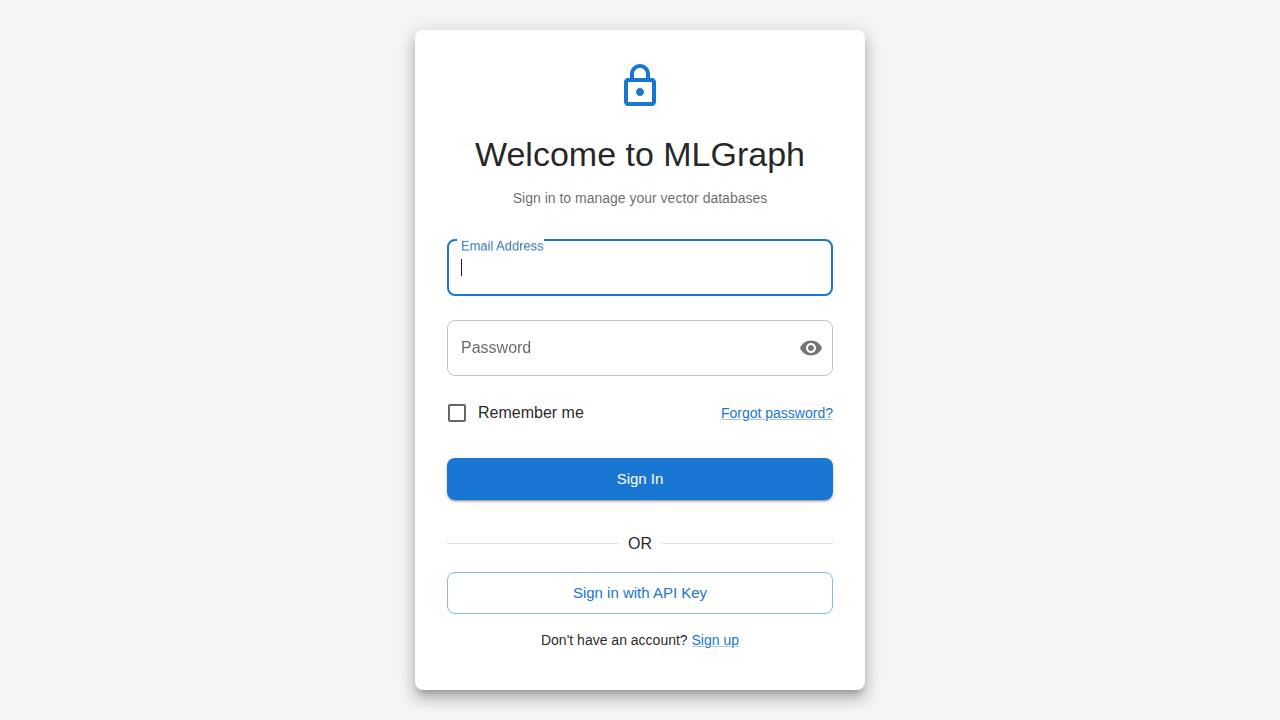
Secure authentication portal with email and password fields. Features remember me checkbox, forgot password link, and alternative API key authentication option.
Key Features
- Email/password authentication
- Remember me for persistent sessions
- Forgot password recovery
- API key sign-in option
Registration
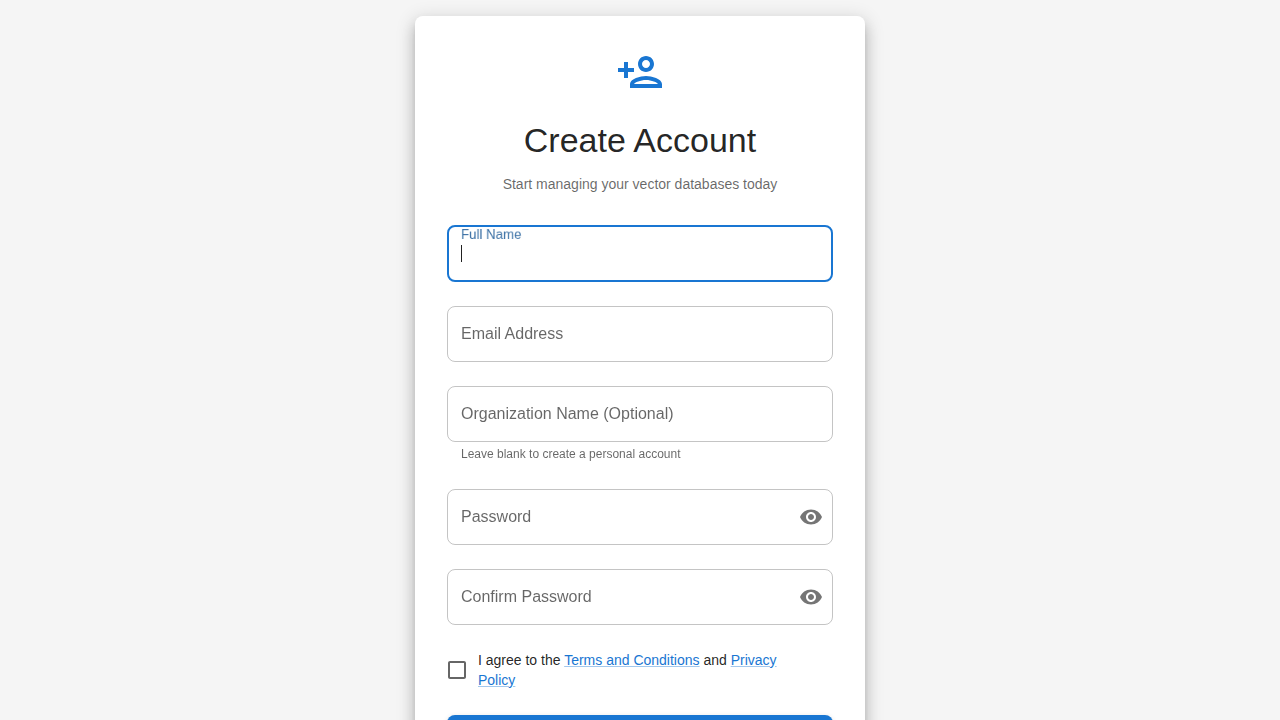
Account creation form for new users. Collects full name, email, optional organization name, password with confirmation, and terms acceptance.
Key Features
- Full name and email fields
- Optional organization assignment
- Password strength validation
- Terms of service acceptance
API Key Login
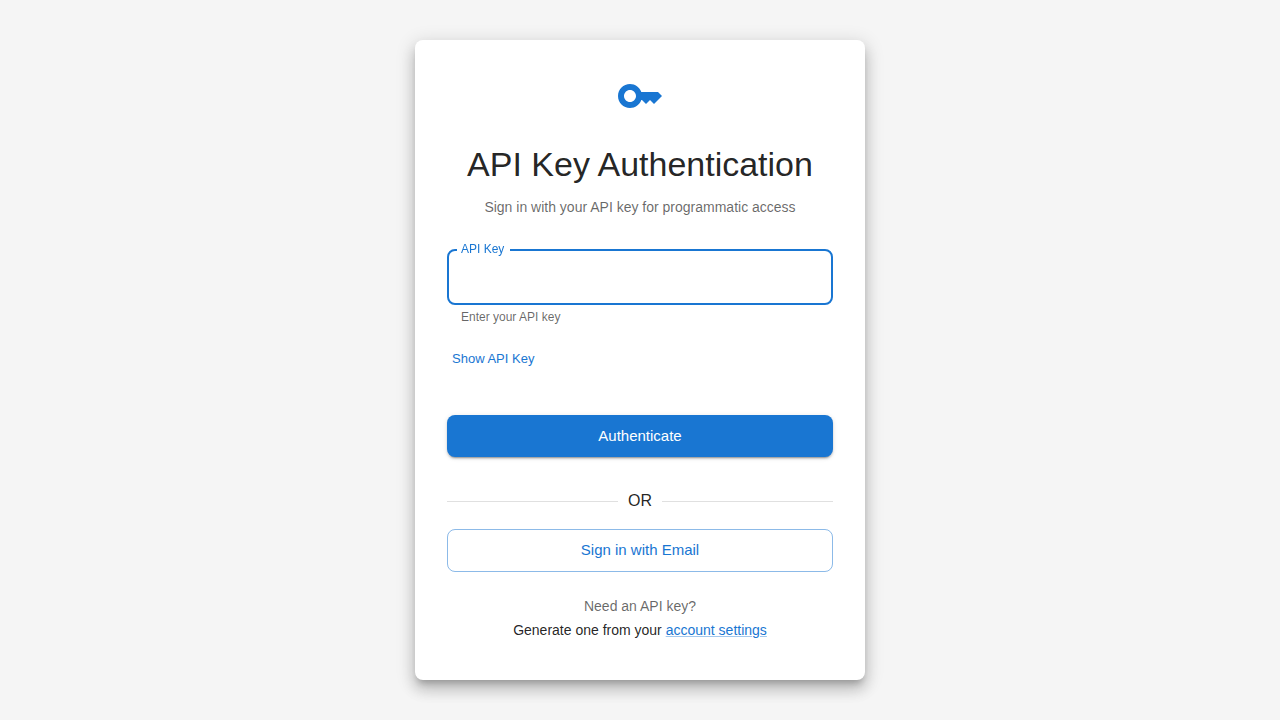
Alternative authentication method using API keys for programmatic access, CI/CD pipelines, and automated workflows.
Key Features
- API key input field
- Show/hide key toggle
- Generate new key link
- Email fallback option
2Dashboard
Main Dashboard
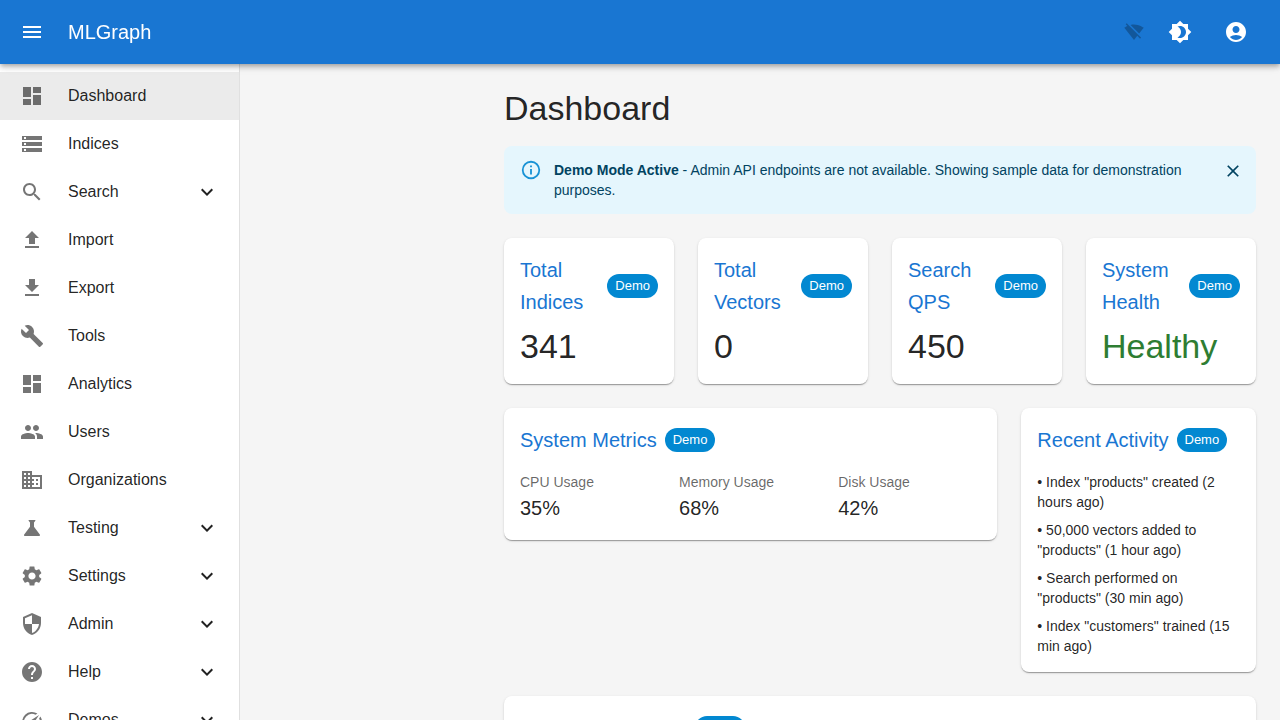
Central hub showing system health, key metrics, and recent activity. Demo mode banner indicates when using sample data. Full navigation sidebar provides access to all features.
Key Features
- Total Indices and Vectors count
- Search QPS and System Health status
- CPU, Memory, Disk usage metrics
- Recent Activity timeline
- Full navigation sidebar
Help Menu
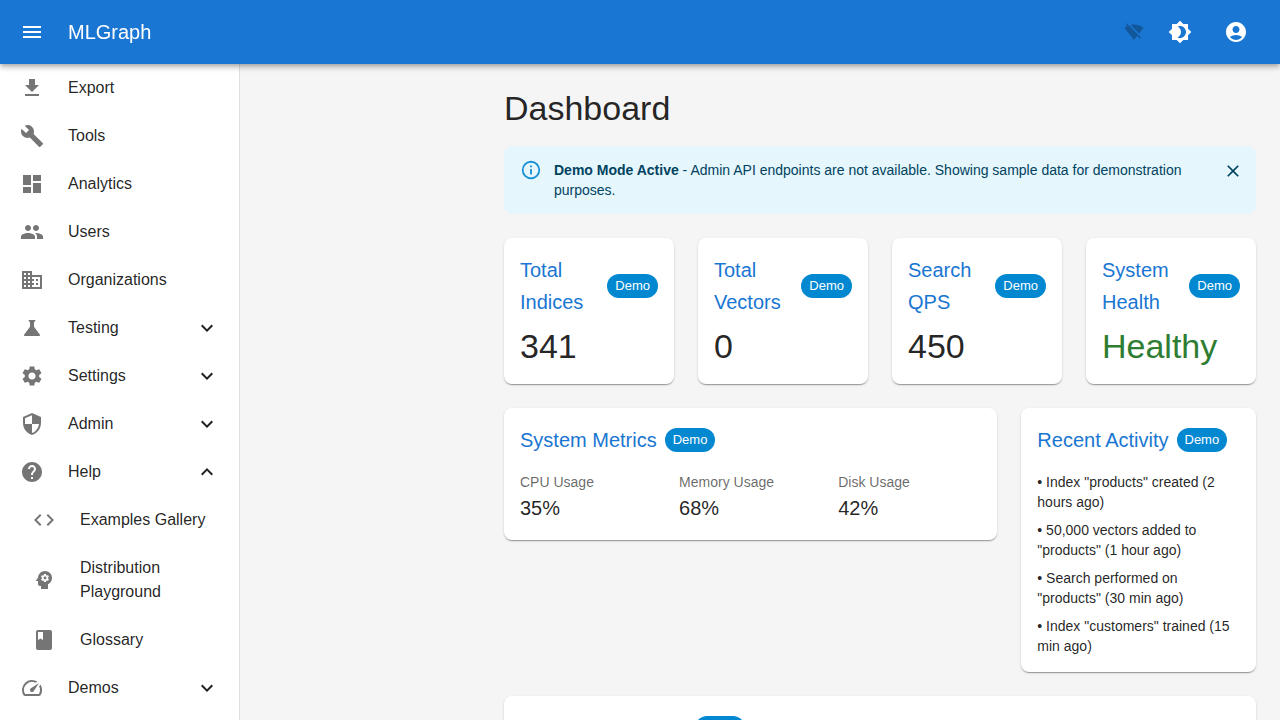
Expanded Help menu showing quick access to Examples Gallery, Distribution Playground, Glossary, and Demos. Provides learning resources and interactive tools.
Key Features
- Examples Gallery link
- Distribution Playground
- Glossary of terms
- Demo mode toggle
3Index Management
Indices List
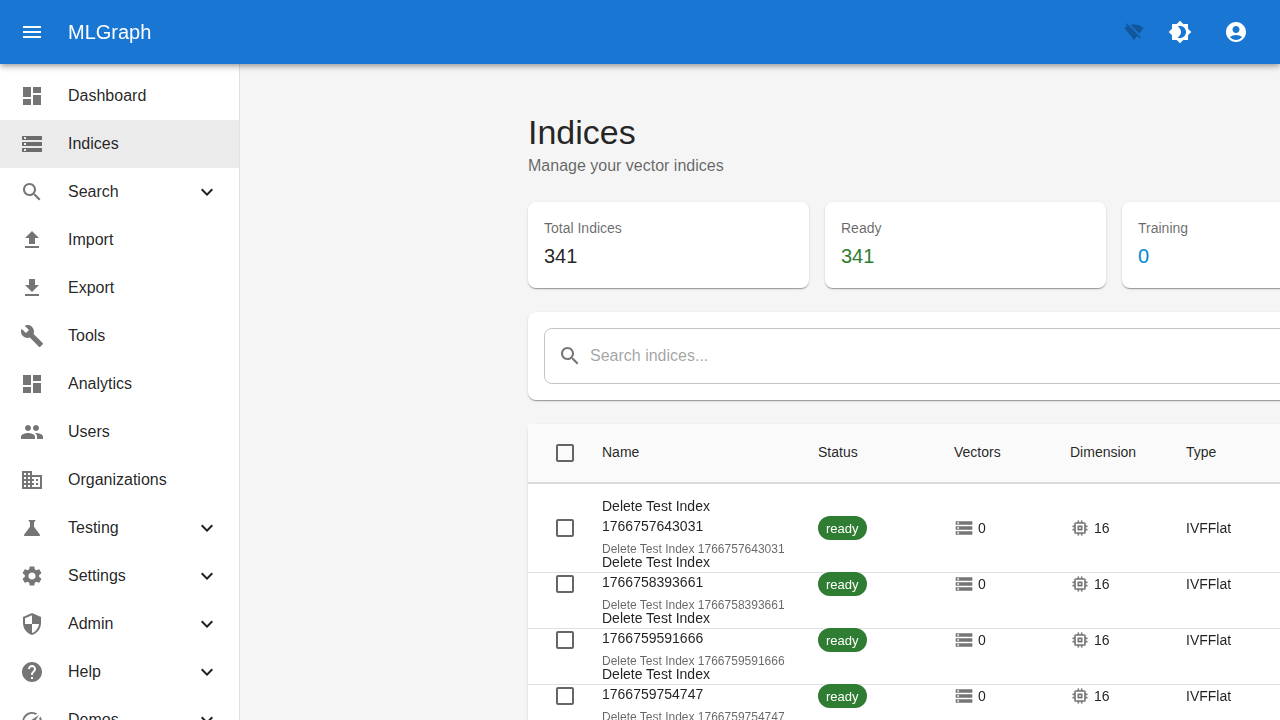
Browse and manage all vector indices. Shows statistics summary (total, ready, training) and searchable table with name, status, vector count, dimension, and type columns.
Key Features
- Index statistics cards
- Search and filter indices
- Status badges (ready/training)
- Dimension and type columns
- Batch selection support
Index Search & Filter
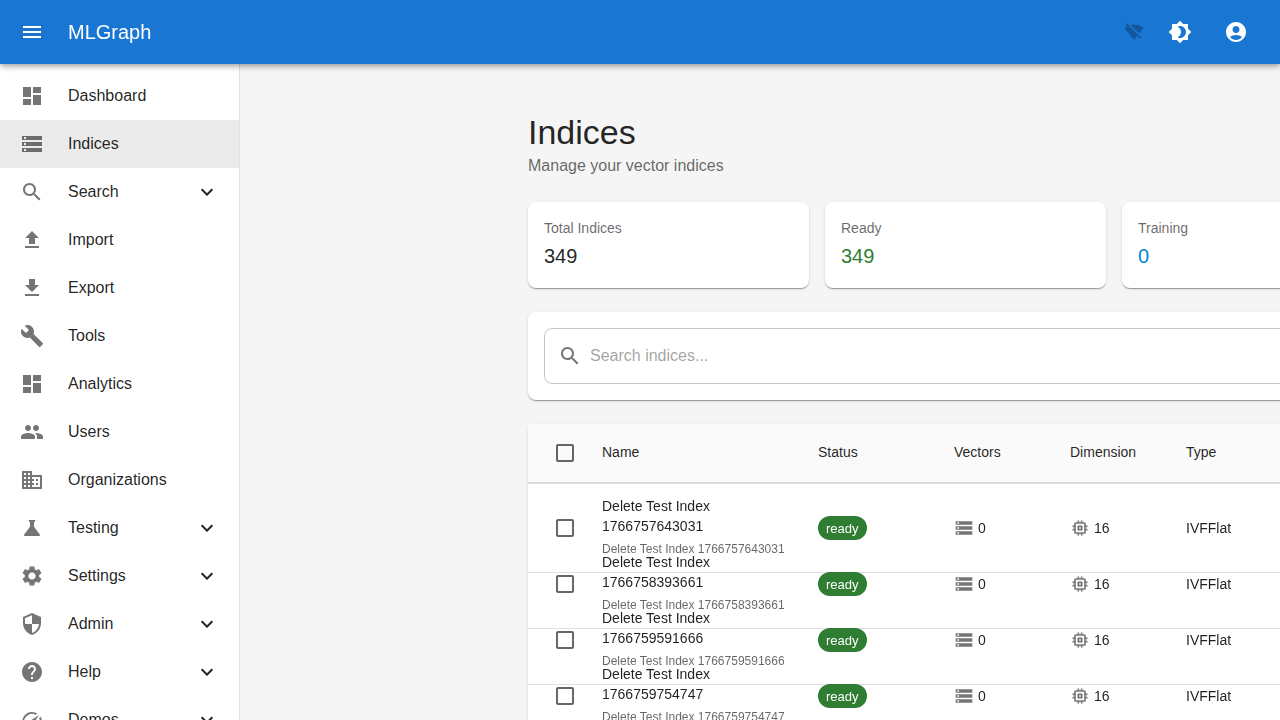
Filtered view of indices with search functionality. Shows index details including name, status badges, vector count, dimensions, and index type (IVFFlat, HNSW, etc.).
Key Features
- Search by index name
- Status filter (Ready/Training)
- Vector count display
- Dimension information
- Index type badges
Create Index Wizard
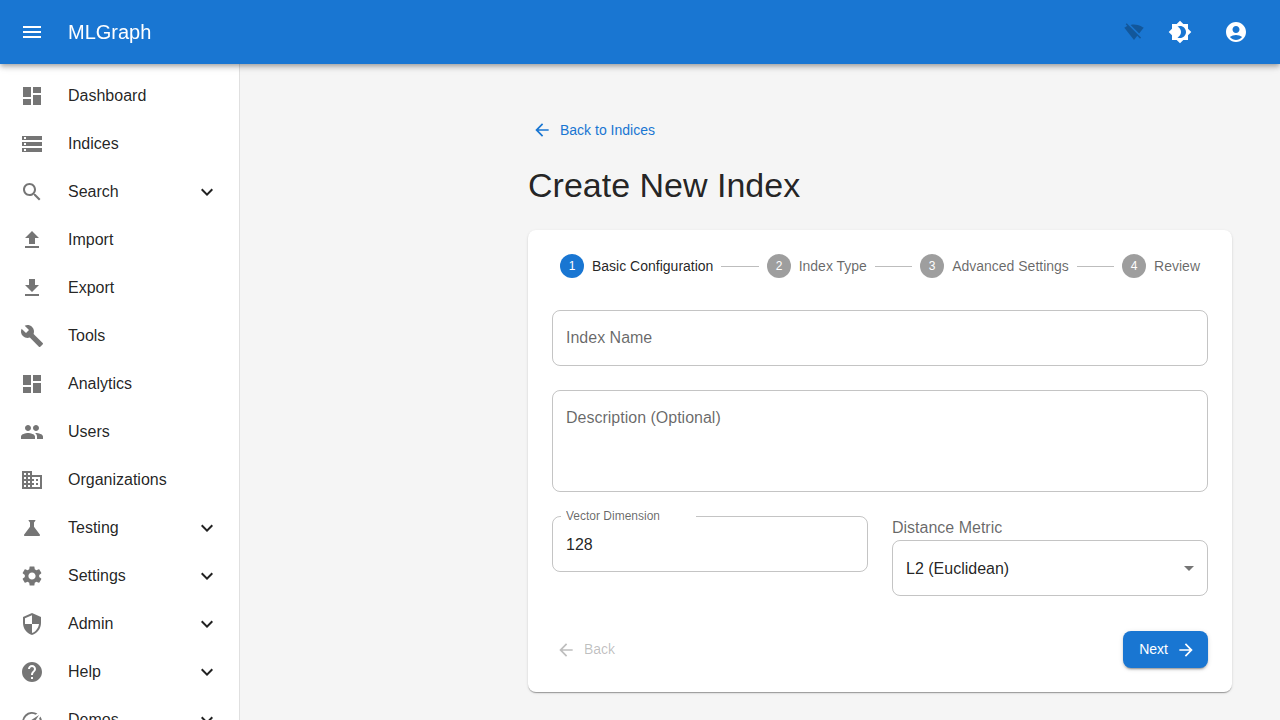
Step-by-step wizard for creating new indices. Step 1 covers basic configuration including name, description, vector dimension, and distance metric selection.
Key Features
- 4-step creation wizard
- Index name and description
- Vector dimension (e.g., 128)
- Distance metric selection (L2, Cosine, Inner Product)
- Navigation between steps
1Vector Operations
Add Vectors
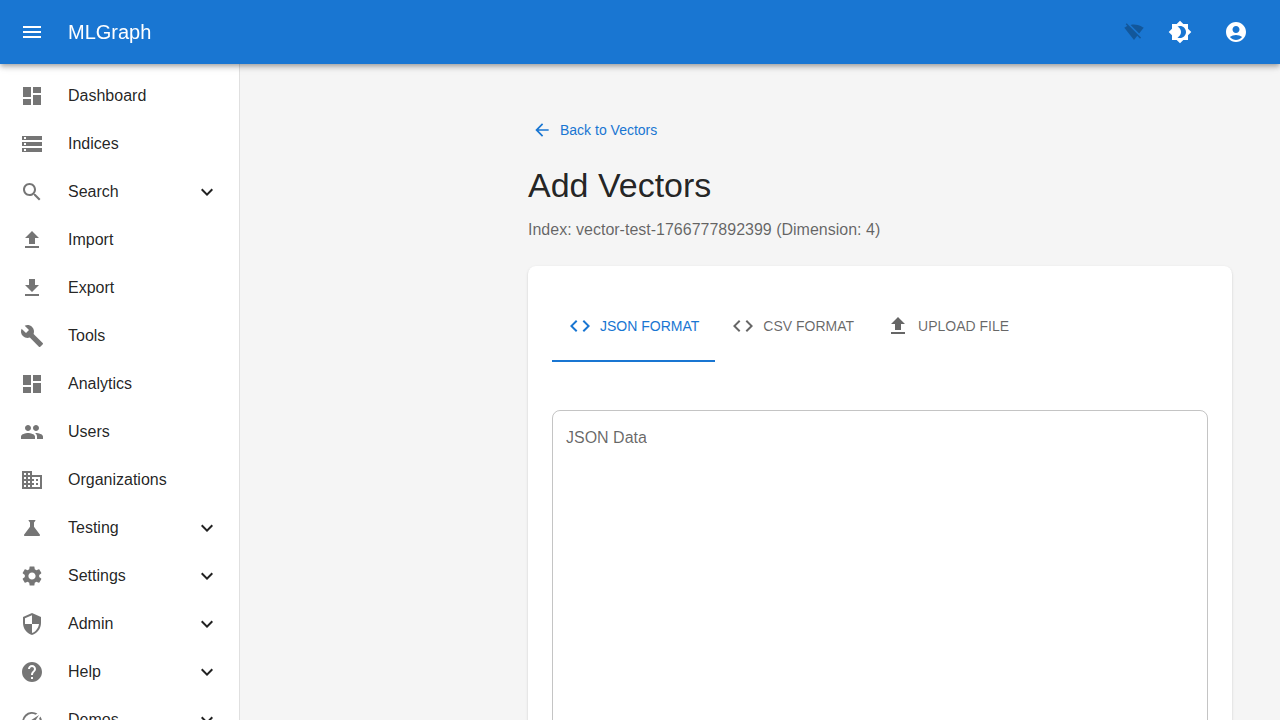
Ingest vectors into an index using multiple input formats. Shows the target index with dimension info and provides tabs for JSON format, CSV format, or file upload.
Key Features
- JSON format input
- CSV format support
- File upload option
- Index dimension display
- Back to Vectors navigation
1Search
Vector Search
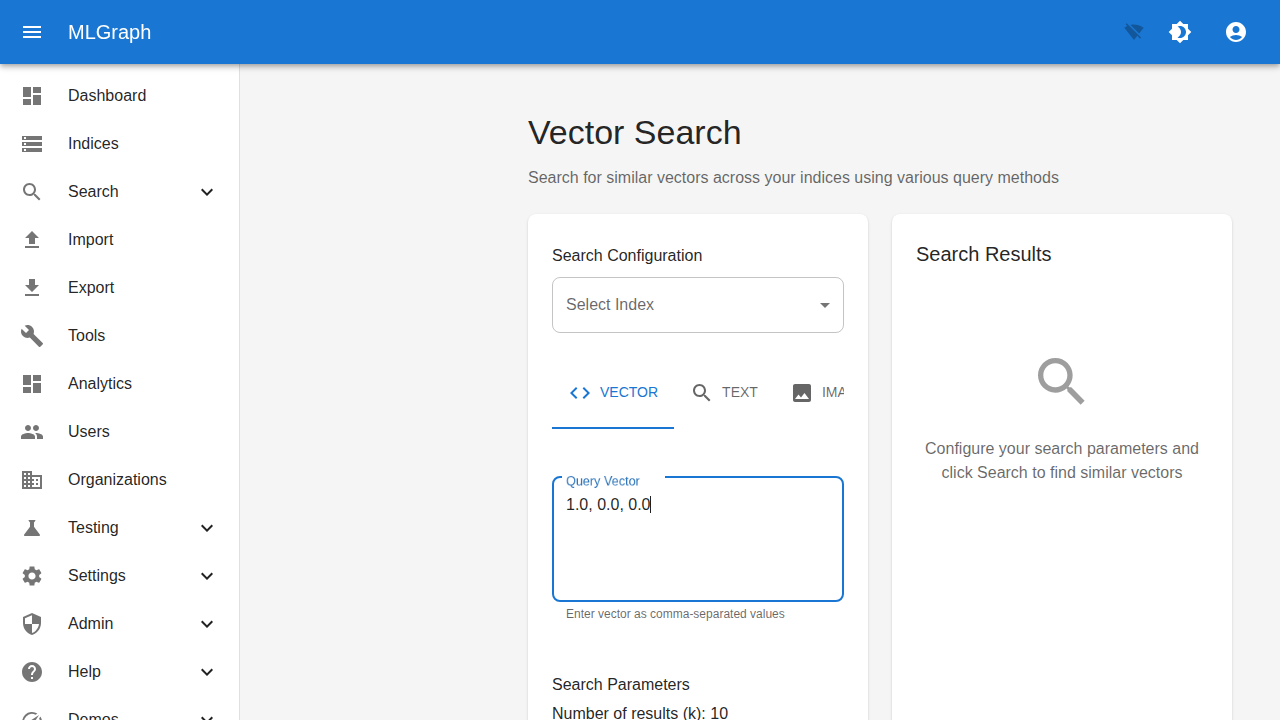
Execute similarity searches across indices. Configure search parameters, enter query vectors, and view results with distance scores. Supports vector, text, and image query types.
Key Features
- Index selection dropdown
- VECTOR/TEXT/IMAGE query tabs
- Query vector input field
- Number of results (k) parameter
- Search Results panel
1Import/Export
Import & Export Dashboard
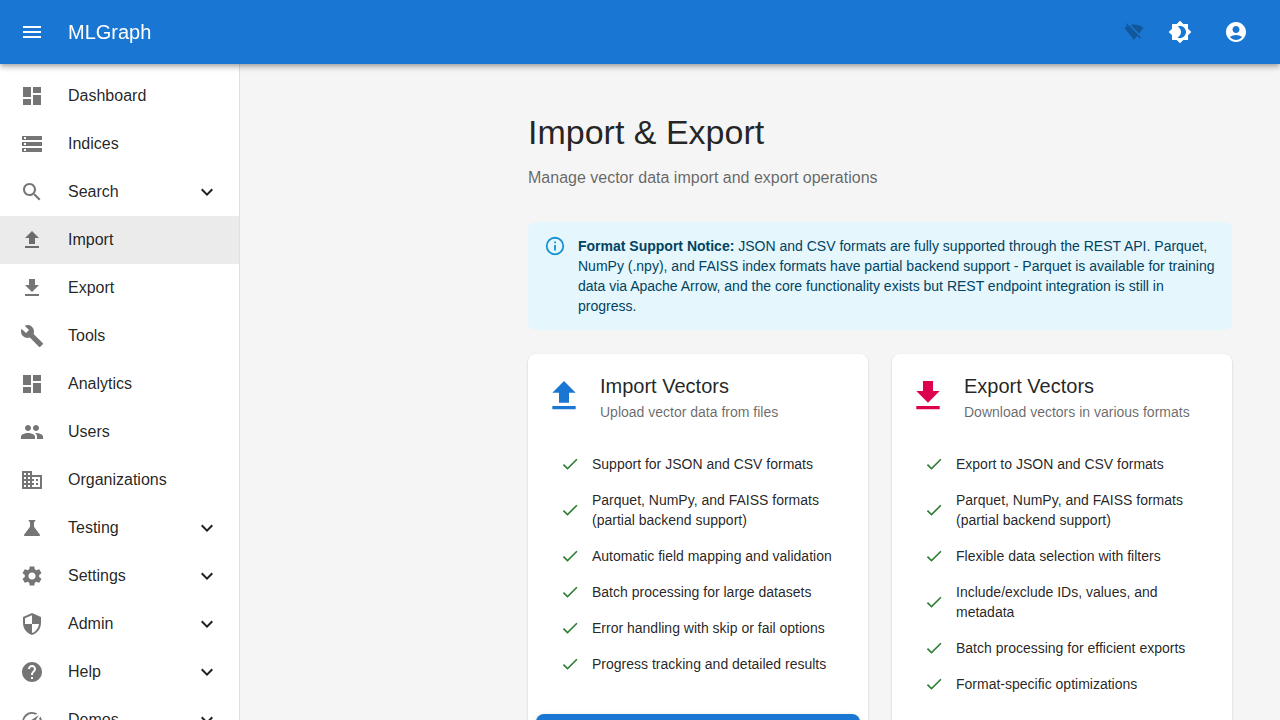
Manage vector data transfers. Import from JSON, CSV, Parquet, NumPy, and FAISS formats. Export with flexible options. Shows format support notice and feature lists for both operations.
Key Features
- JSON and CSV full support
- Parquet, NumPy, FAISS partial support
- Automatic field mapping
- Batch processing for large datasets
- Progress tracking
2Testing Tools
Test Data Generator
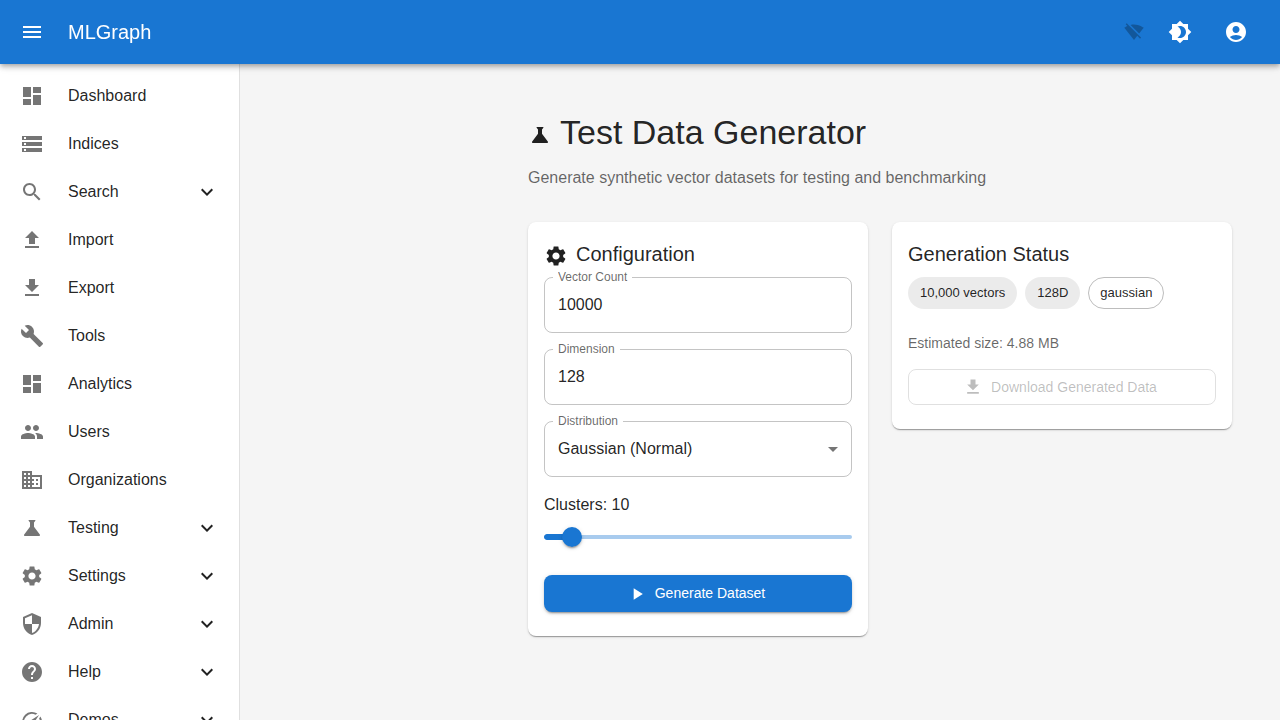
Generate synthetic vector datasets for testing and benchmarking. Configure vector count, dimensions, and distribution type. Shows estimated size and generation status.
Key Features
- Vector count configuration
- Dimension setting (e.g., 128)
- Distribution selection
- Cluster count slider
- Estimated data size
Distribution Options
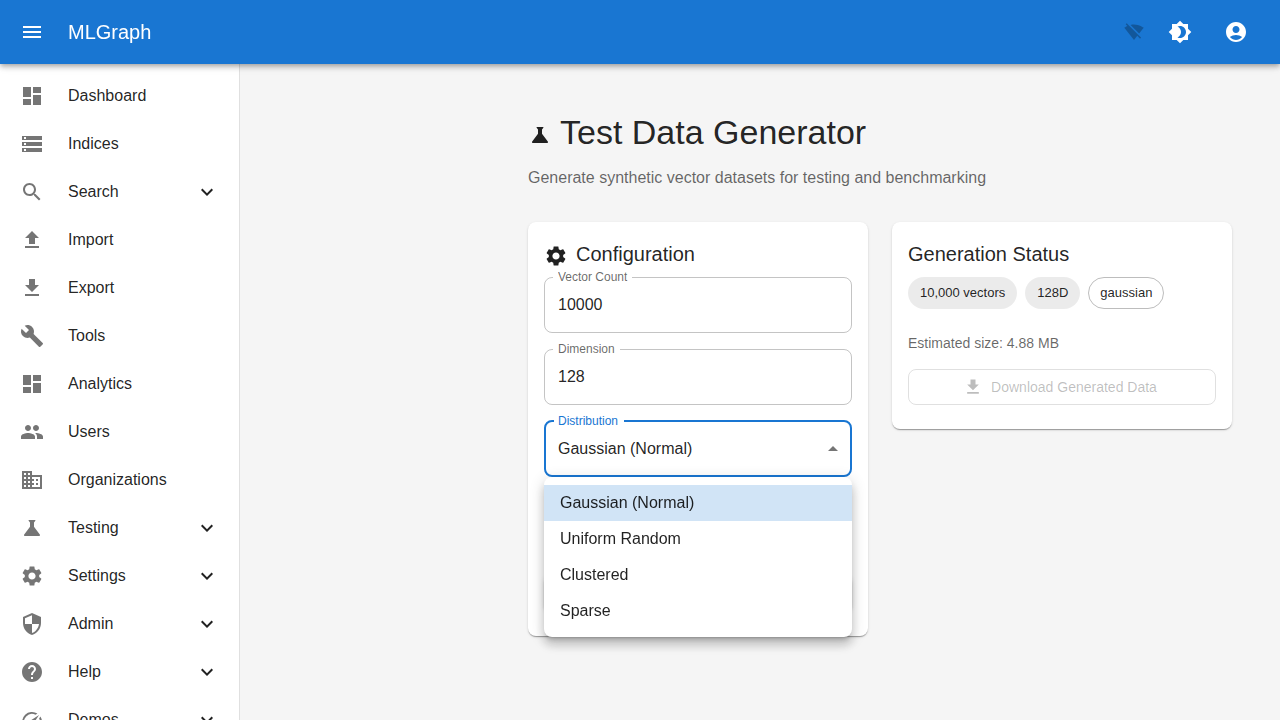
Expanded distribution dropdown showing all available options for synthetic data generation: Gaussian (Normal), Uniform Random, Clustered, and Sparse distributions.
Key Features
- Gaussian (Normal) distribution
- Uniform Random distribution
- Clustered distribution
- Sparse distribution
- Download generated data
2Analytics & Performance
Analytics Dashboard
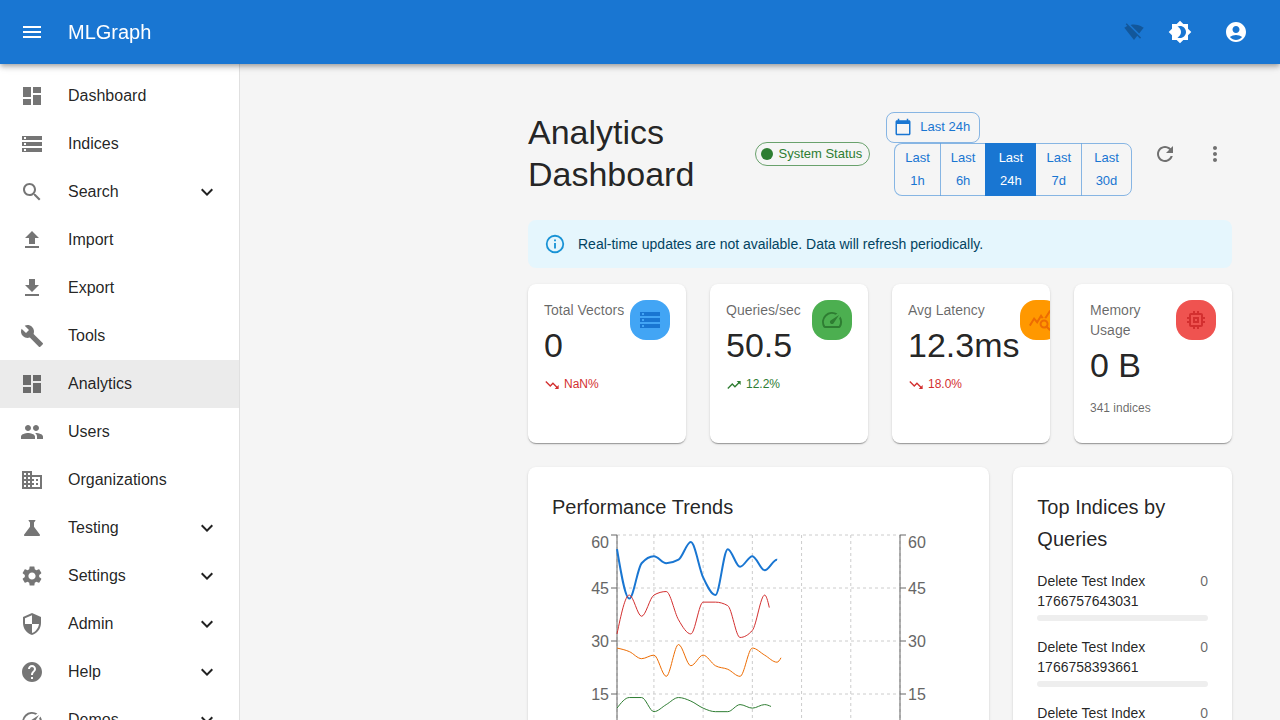
Comprehensive analytics view with key performance indicators. Shows Total Vectors, Queries/sec, Average Latency, and Memory Usage with trend indicators and time range selector.
Key Features
- KPI metric cards with trends
- Time range selector (1h to 30d)
- Performance Trends chart
- Top Indices by Queries
- System Status indicator
Real-time Monitor
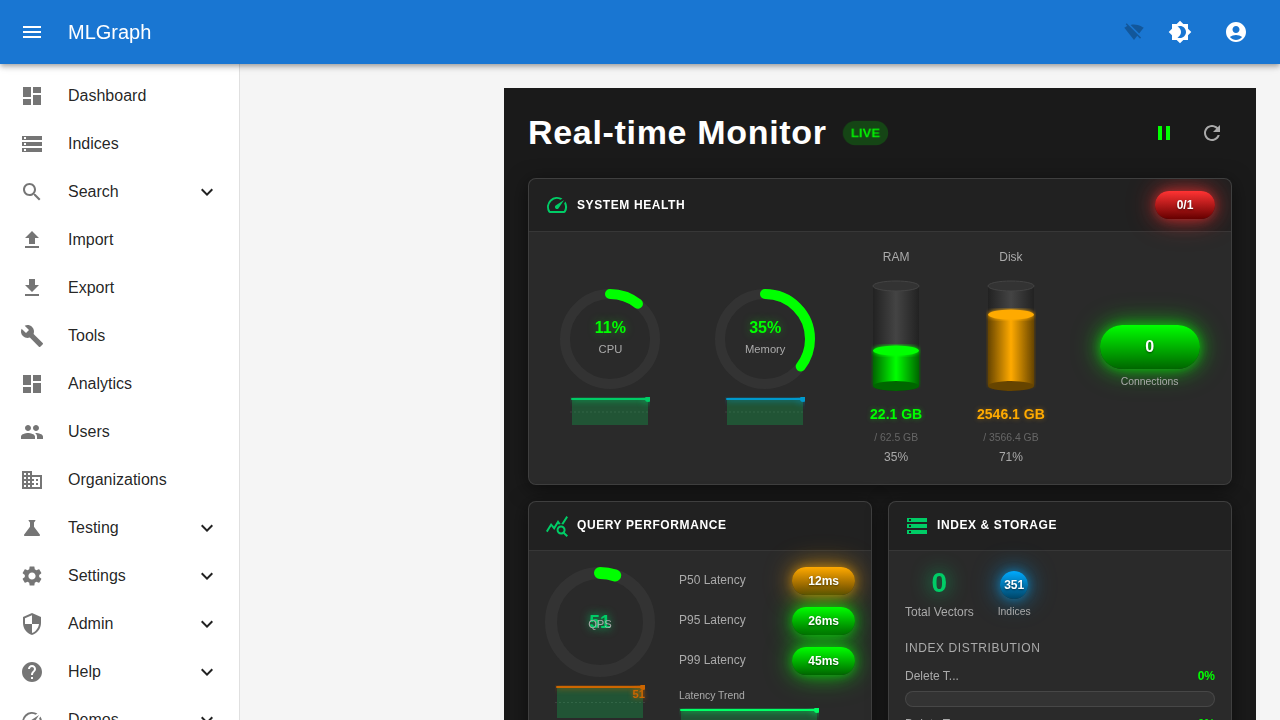
Live performance monitoring dashboard with system health gauges. Shows CPU, Memory usage, RAM and Disk statistics, connection count, and query latency percentiles (P50, P95, P99).
Key Features
- LIVE indicator badge
- CPU and Memory gauges
- RAM and Disk usage bars
- Query Performance (P50/P95/P99 latency)
- Index & Storage statistics
3Administration
Organizations
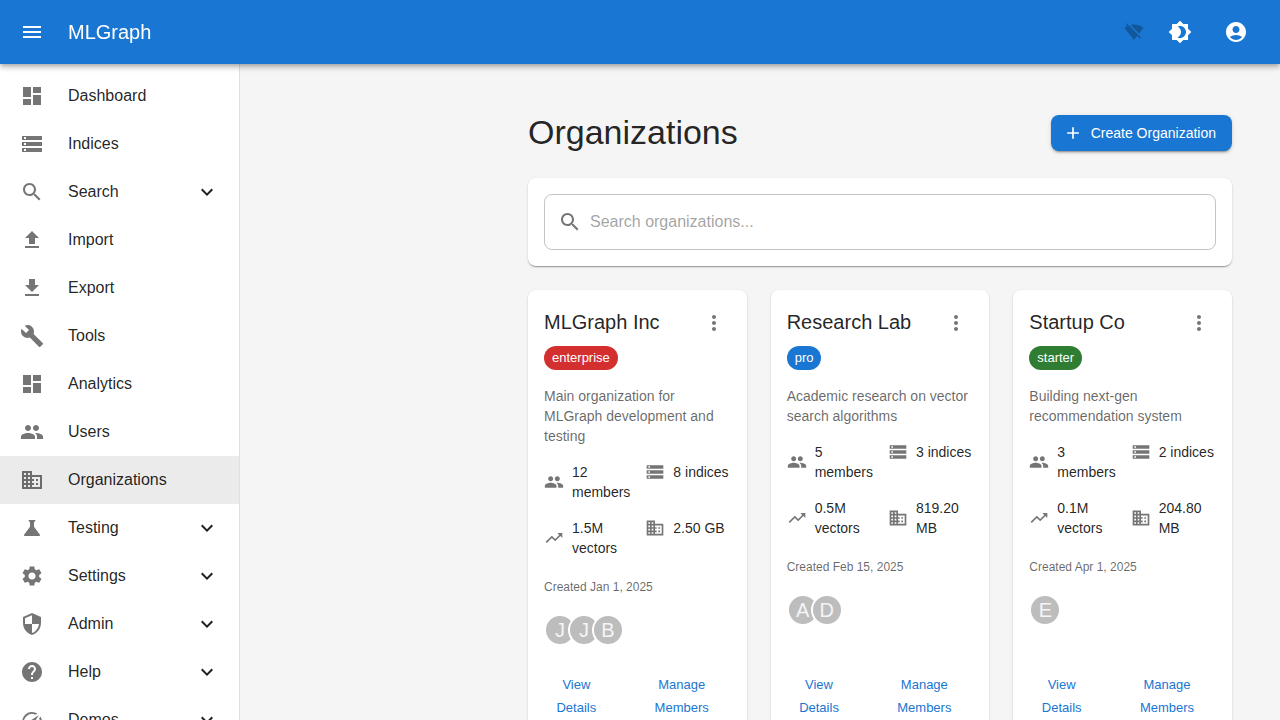
Multi-tenant organization management. View organization cards with tier badges (enterprise, pro, starter), member counts, index counts, vector totals, and storage usage.
Key Features
- Organization cards with details
- Tier badges (Enterprise/Pro/Starter)
- Member and index counts
- Vector totals and storage size
- Create Organization button
Users Management
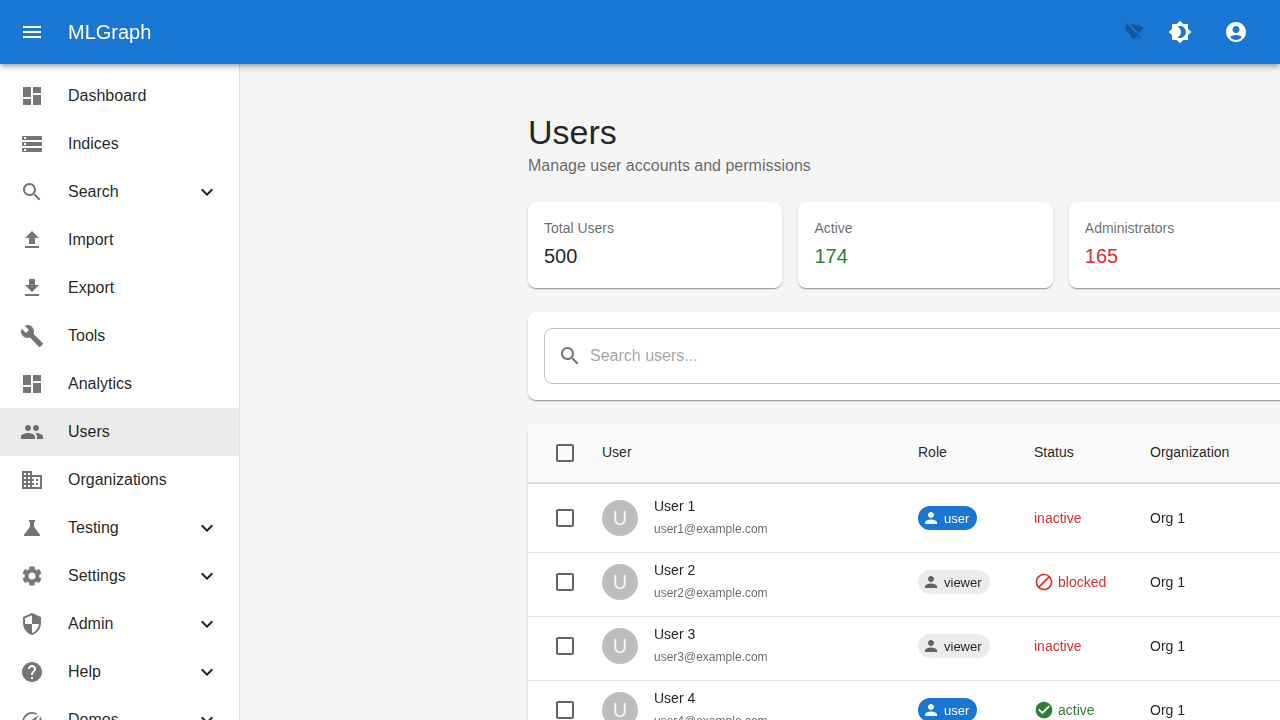
User administration interface showing all users with their roles and status. Statistics cards display Total Users, Active users, and Administrators count.
Key Features
- User statistics cards
- Search users functionality
- Role badges (user, viewer, admin)
- Status indicators (active, inactive, blocked)
- Organization assignment
Role Management
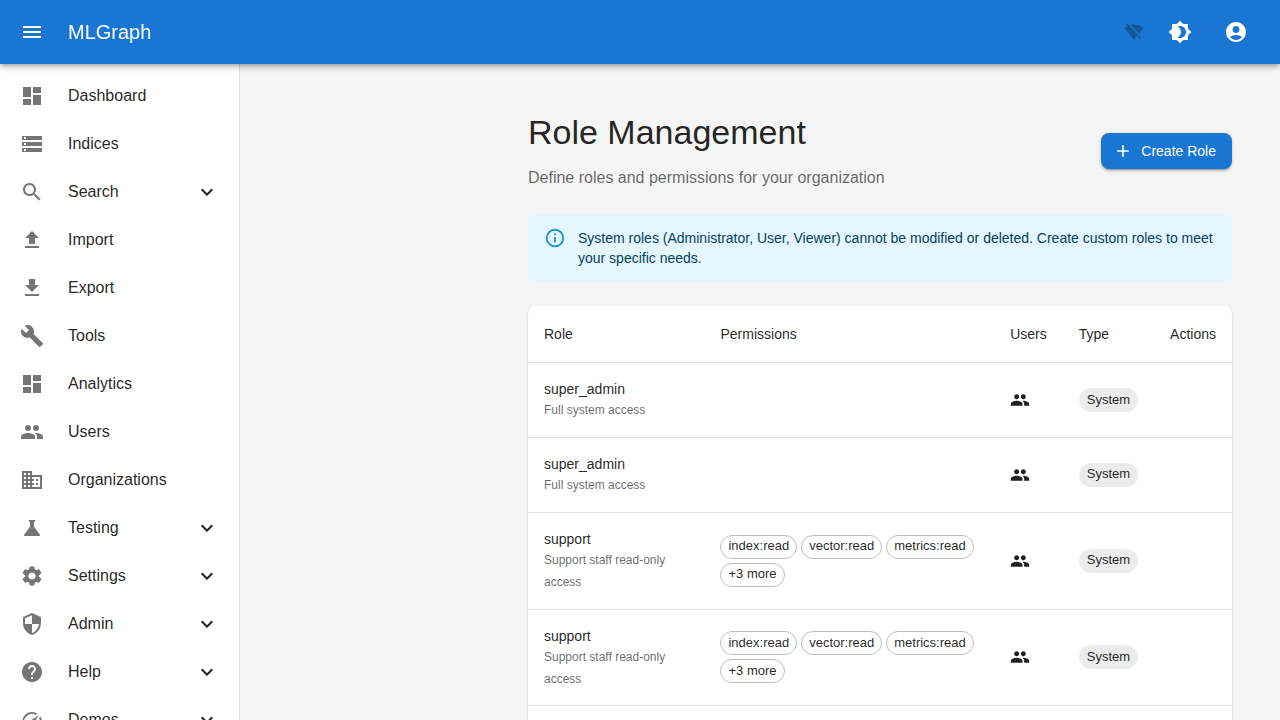
Define and manage role-based access control (RBAC). View system and custom roles with their permissions. Permission badges show granular access levels like index:read, vector:read.
Key Features
- Create Role button
- System roles info notice
- Role name and description
- Permission badges
- System vs Custom role types
2Infrastructure
Cluster Management
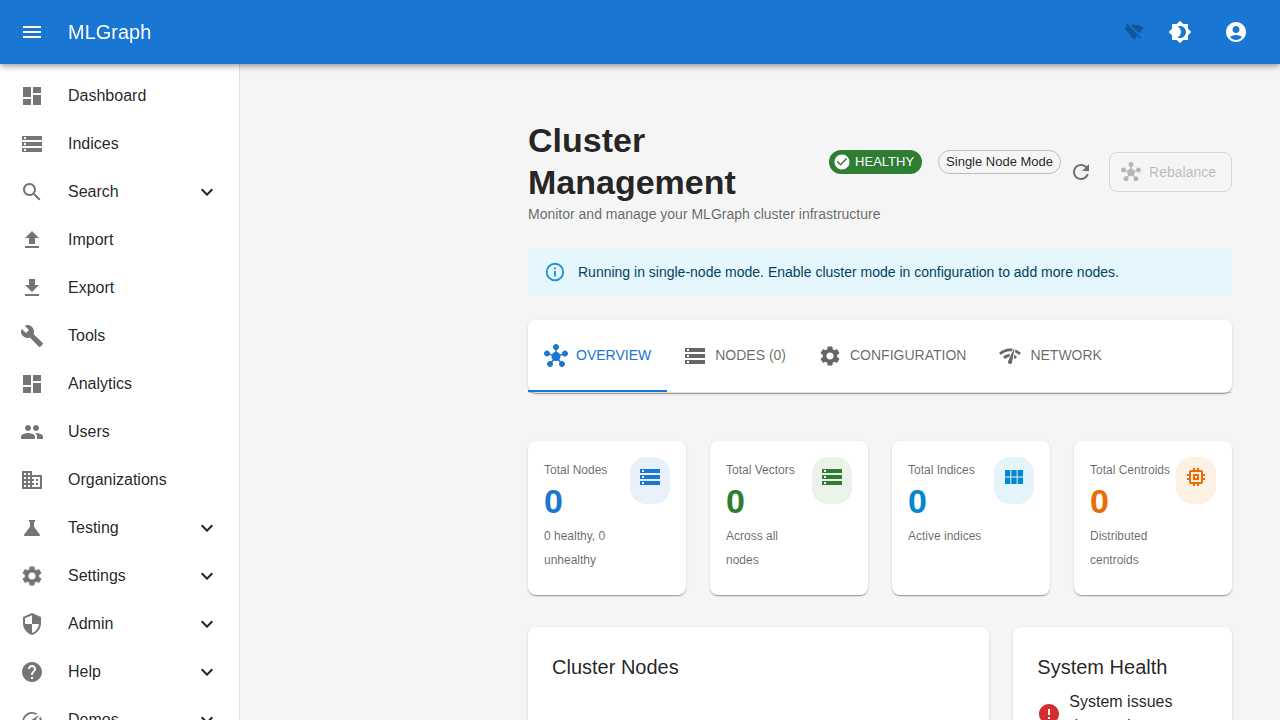
Monitor and manage distributed cluster infrastructure. Shows cluster health status, node mode, and key metrics. Tabs for overview, nodes, configuration, and network settings.
Key Features
- HEALTHY status badge
- Single/Multi Node Mode indicator
- Total Nodes, Vectors, Indices cards
- OVERVIEW/NODES/CONFIGURATION tabs
- Rebalance button
Cluster Network
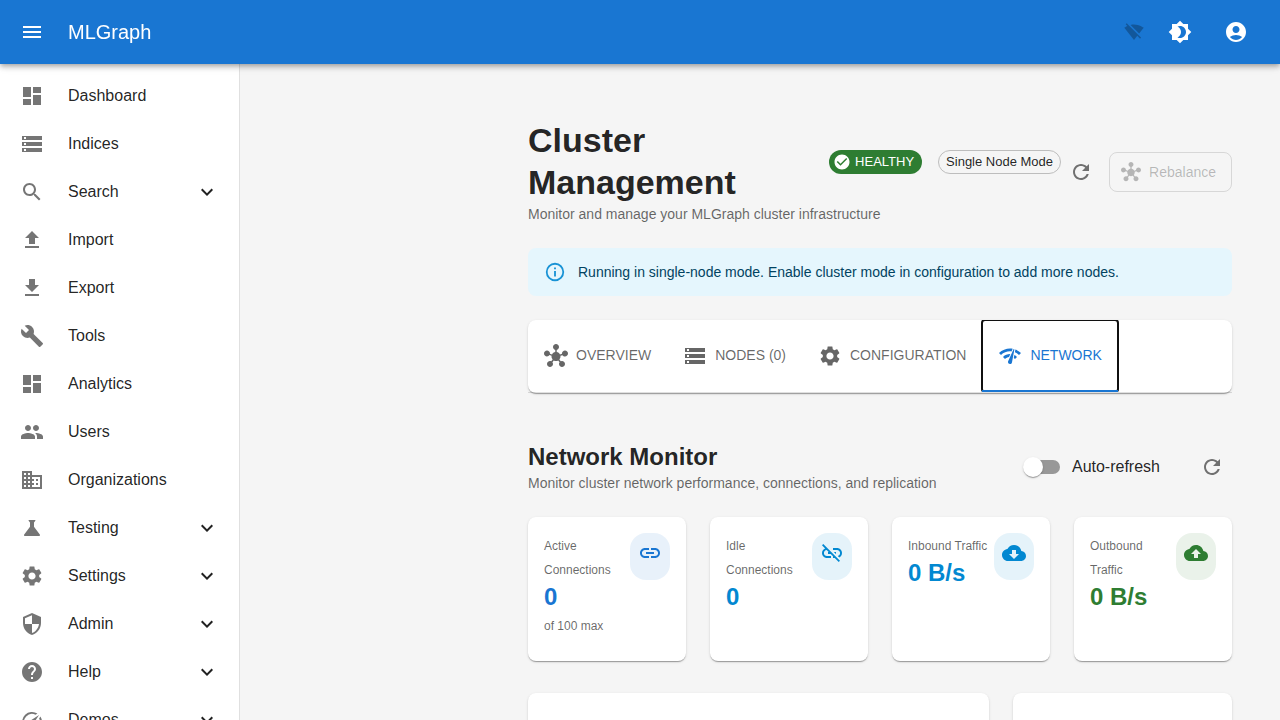
Network monitoring tab showing cluster connectivity metrics. Displays active and idle connections, inbound and outbound traffic rates with auto-refresh capability.
Key Features
- Network Monitor section
- Active/Idle connections count
- Inbound/Outbound traffic (B/s)
- Auto-refresh toggle
- Single-node mode notice
1Settings
Session Settings
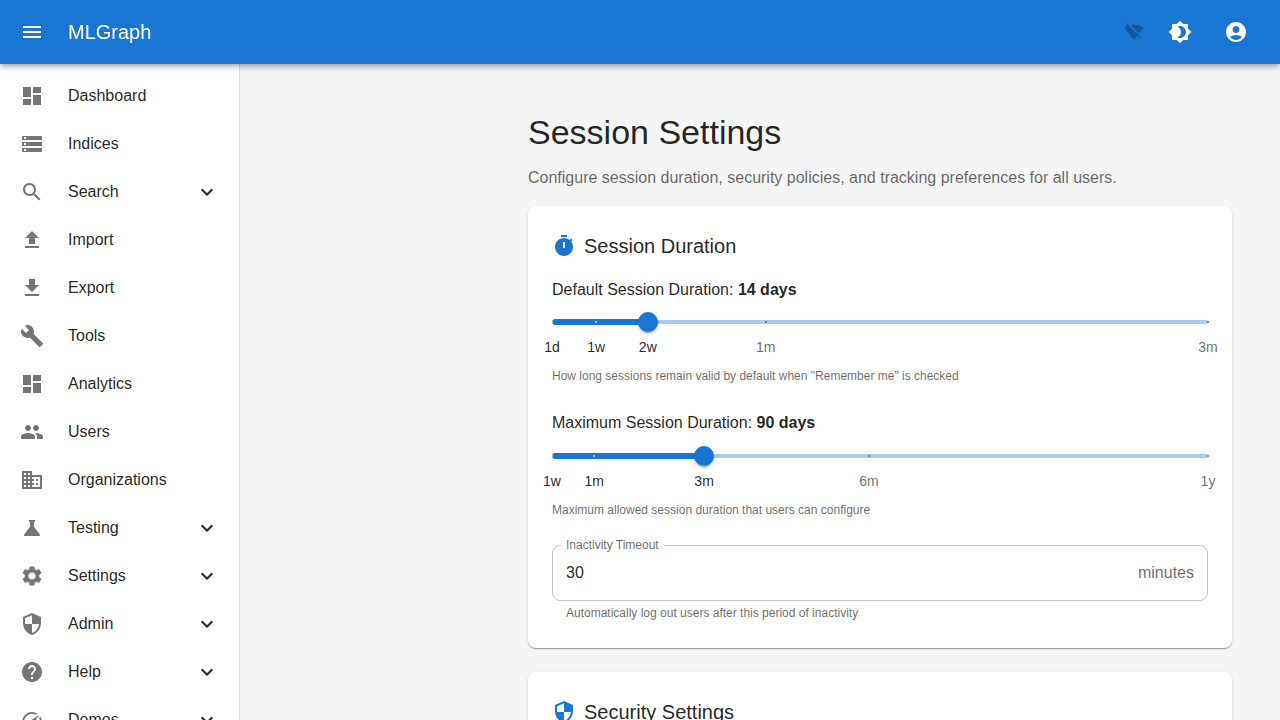
Configure session duration and security policies. Sliders for default and maximum session duration, inactivity timeout, and security settings section.
Key Features
- Default Session Duration slider (1d-3m)
- Maximum Session Duration (1w-1y)
- Inactivity Timeout (minutes)
- Security Settings section
- Policy descriptions
Route Reference
| Screen | Route | Purpose |
|---|---|---|
| Login | /login | User authentication |
| Register | /register | Account creation |
| API Key Login | /auth/api-key | Programmatic auth |
| Dashboard | /dashboard | System overview |
| Indices | /indices | Browse indices |
| Create Index | /indices/create | New index wizard |
| Add Vectors | /indices/:id/vectors/add | Ingest vectors |
| Search | /search | Similarity search |
| Import/Export | /import | Data transfers |
| Test Data | /testing/generator | Generate test vectors |
| Analytics | /analytics | Performance metrics |
| Performance | /admin/performance | Real-time monitoring |
| Organizations | /organizations | Multi-tenant management |
| Users | /users | User management |
| Roles | /settings/roles | RBAC configuration |
| Cluster | /cluster | Infrastructure monitoring |
| Session Settings | /settings/session | Session configuration |