UI Feature
Testing
Search Playground
Tune search parameters interactively, visualize results, and optimize your query performance in real-time.
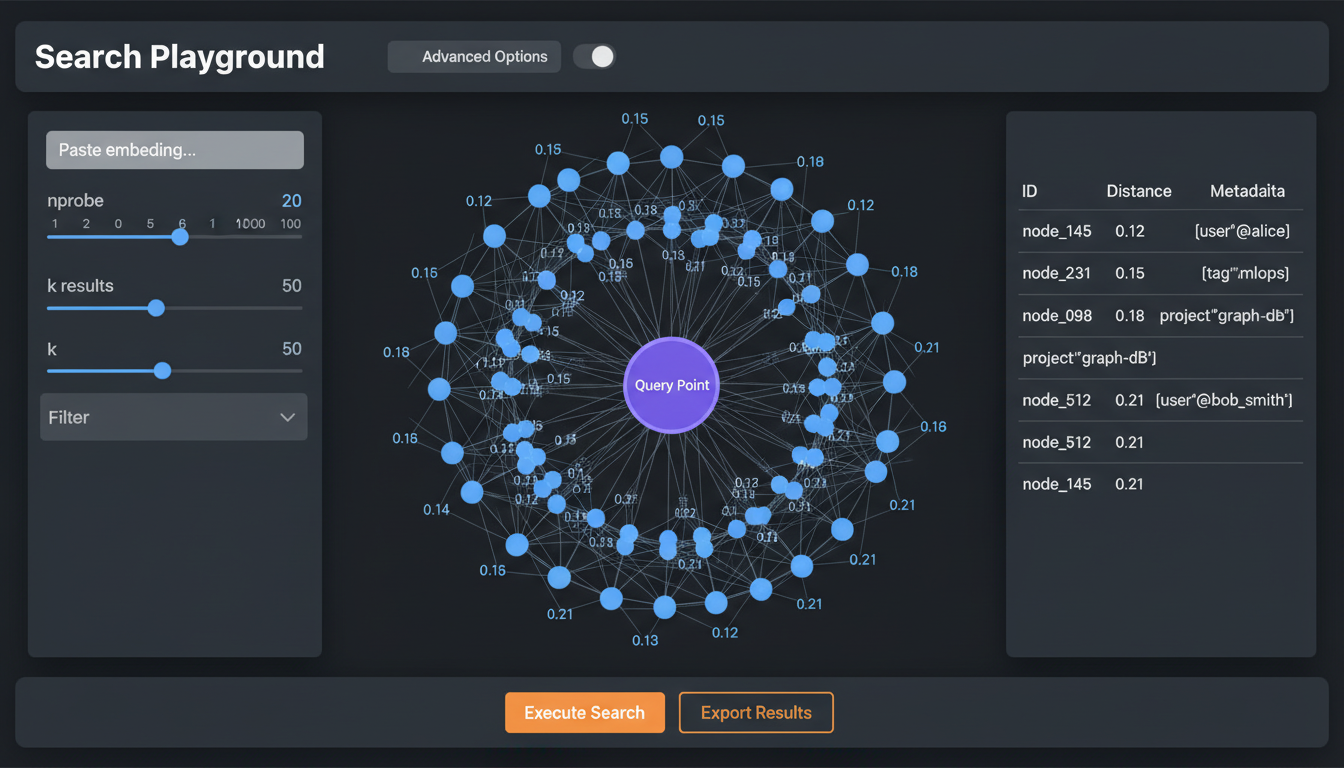
Search interface with parameter controls and result visualization

FAISS-powered vector search with IVF indexing
Overview
The Search Playground is your laboratory for optimizing vector search. Paste a query vector, adjust parameters like nprobe and k, and instantly see how they affect results and latency. Perfect for finding the right balance between speed and recall for your use case.
Features
Parameter Tuning
- nprobe: Number of clusters to search (1-256)
- k: Number of results to return (1-1000)
- ef: HNSW expansion factor
- refine: Enable re-ranking pass
Result Visualization
- Distance histogram for result set
- 2D/3D projection with query and results
- Metadata preview for each result
- Distance to query for each result
Performance Metrics
- Query latency (total and breakdown)
- Clusters searched vs skipped
- Cache hits and misses
- I/O bytes read
Quick Actions
- Random vector from index
- Text-to-vector conversion
- Save query as template
- Export results as JSON/CSV
Parameter Guide
nprobe vs Latency Trade-off
| nprobe | Recall@10 | Latency (p50) | Use Case |
|---|---|---|---|
| 1 | ~40% | 0.1ms | Ultra-low latency, approximate |
| 8 | ~75% | 0.5ms | Good balance |
| 32 | ~95% | 2ms | High recall |
| 128 | ~99% | 8ms | Near-exact |
Usage Example
// Query from the playground API
const response = await fetch('/api/search/playground', {
  method: 'POST',
  body: JSON.stringify({
    index: 'my-vectors',
    vector: [0.1, 0.2, 0.3, ...], // 128d
    params: {
      k: 10,
      nprobe: 16,
      includeMetadata: true,
      includeDistances: true,
    }
  })
});

const { results, metrics } = await response.json();
// results: [{ id, distance, metadata }, ...]
// metrics: { latencyMs, clustersSearched, cacheHits, ... }