API Feature
Security
Rate Limiting Configuration
Protect your cluster with configurable rate limits at multiple levels: IP, user, API key, and endpoint.
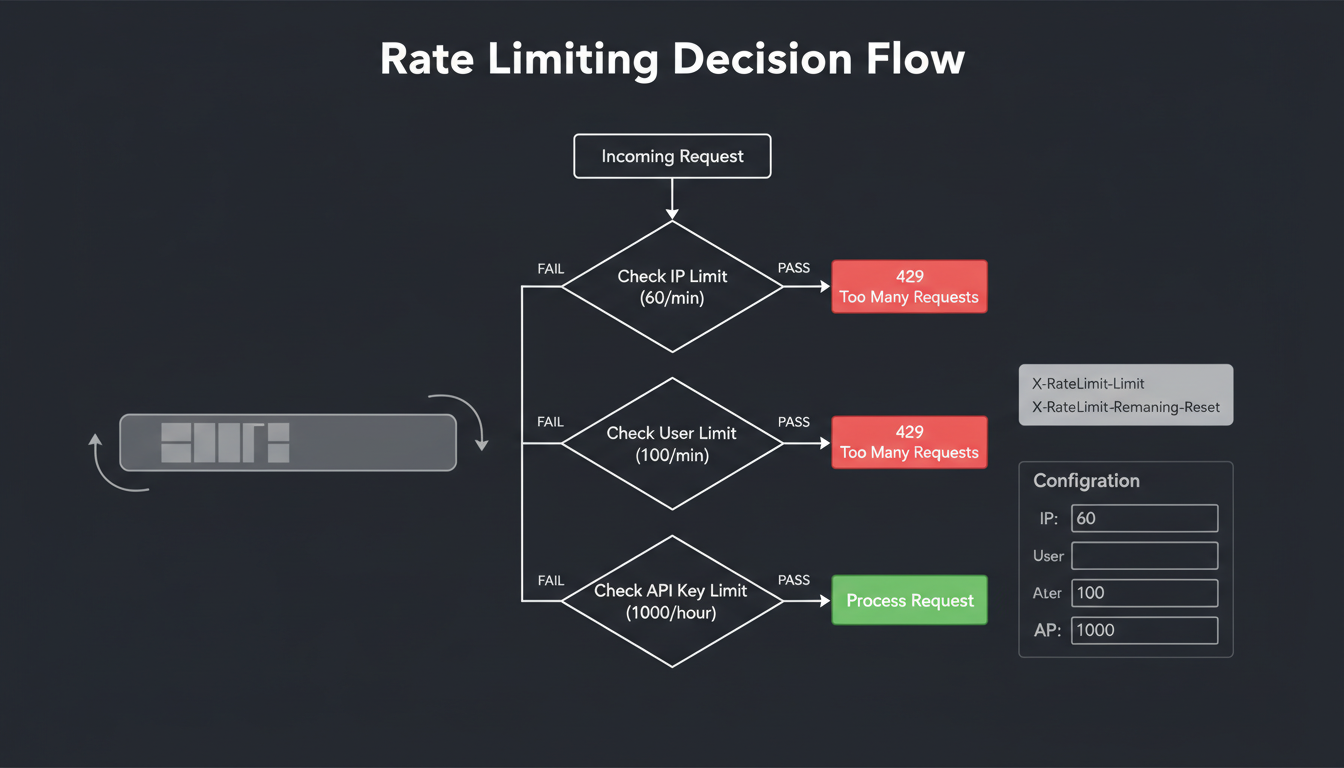
Rate limiting decision tree with multiple check layers
Rate Limit Layers
IP-based
First line of defense against abuse:
- • Anonymous request limits
- • DDoS protection
- • Applies before auth
User-based
Per-account limits:
- • Based on user ID
- • Tier-based quotas
- • Cross-device tracking
API Key-based
Programmatic access limits:
- • Per-key quotas
- • Scope-specific limits
- • Independent of user limits
Endpoint-based
Per-route limits:
- • Search: high limits
- • Write: lower limits
- • Admin: strict limits
Algorithm
MLGraph uses a sliding window rate limiter with token bucket burst handling. This provides smooth rate limiting without the boundary issues of fixed windows.
Configuration Parameters
| Parameter | Description | Example |
|---|---|---|
| requestsPerMinute | Sustained request rate | 1000 |
| burstLimit | Max concurrent burst | 100 |
| windowSize | Sliding window duration | 60s |
| penaltyDuration | Backoff after limit hit | 30s |
Response Headers
HTTP/1.1 200 OK
X-RateLimit-Limit: 1000
X-RateLimit-Remaining: 847
X-RateLimit-Reset: 1703246400
X-RateLimit-Bucket: api-key:mlg_xxx

# When rate limited:
HTTP/1.1 429 Too Many Requests
Retry-After: 30
X-RateLimit-Limit: 1000
X-RateLimit-Remaining: 0
X-RateLimit-Reset: 1703246400
Content-Type: application/json

{
  "error": "rate_limit_exceeded",
  "message": "Too many requests. Retry after 30 seconds.",
  "retryAfter": 30,
  "limit": 1000,
  "window": "1m"
}
Configuration Example
// DaemonConfig rate limiting section
{
  "rateLimiting": {
    "enabled": true,
    "storage": "redis", // or "memory"

    "global": {
      "requestsPerMinute": 10000,
      "burstLimit": 500
    },

    "perIp": {
      "requestsPerMinute": 100,
      "burstLimit": 20,
      "whitelist": ["10.0.0.0/8"]
    },

    "perUser": {
      "free": { "requestsPerMinute": 60 },
      "pro": { "requestsPerMinute": 1000 },
      "enterprise": { "requestsPerMinute": 10000 }
    },

    "perEndpoint": {
      "/api/search": { "requestsPerMinute": 1000 },
      "/api/vectors": { "requestsPerMinute": 100 },
      "/api/admin/*": { "requestsPerMinute": 10 }
    }
  }
}
Best Practices
- • Set IP limits lower than user limits (anonymous < authenticated)
- • Use burst limits for traffic spikes, not sustained load
- • Monitor 429 responses to tune limits
- • Whitelist internal services and monitoring