UI Feature
Multi-tenant
Organization Management
Set up organizations, manage team members, and control access with fine-grained permissions.
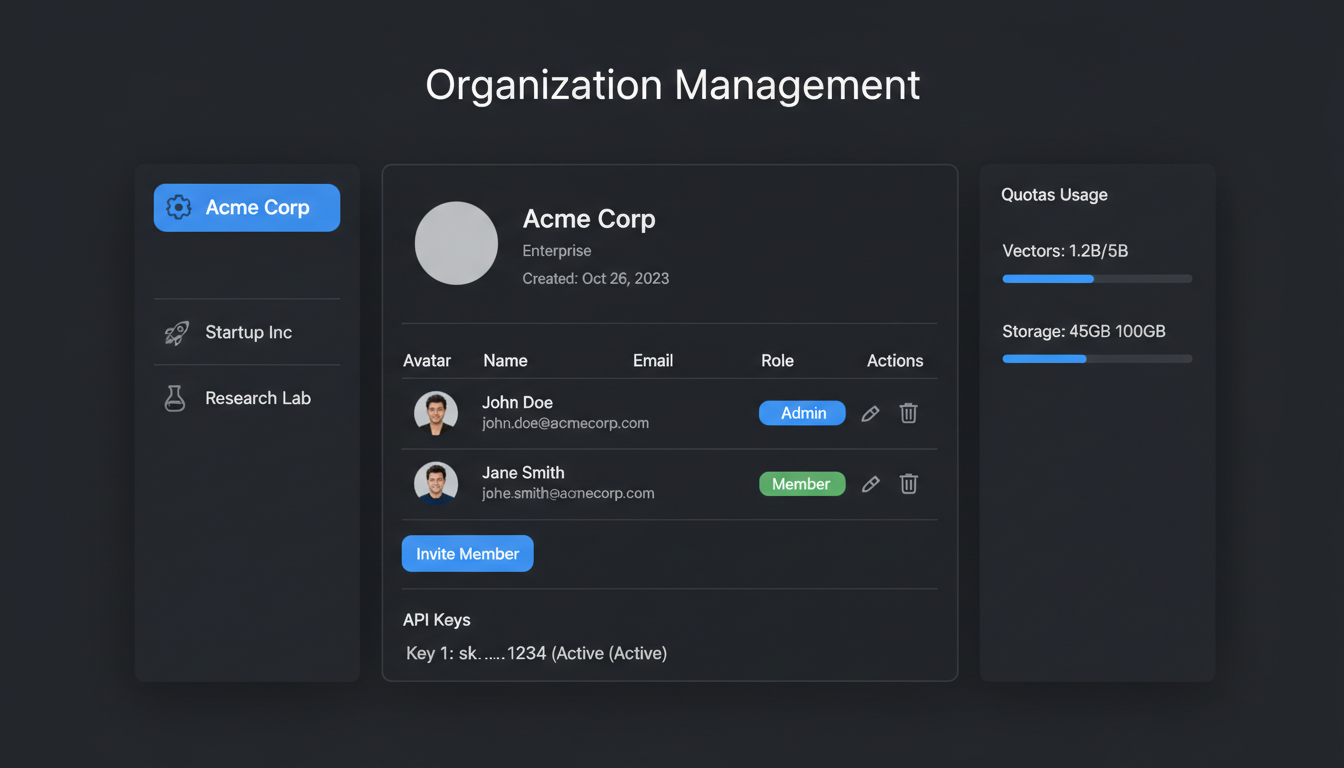
Organization dashboard with member management and API keys
Overview
MLGraph supports multi-tenant deployments where each organization has isolated resources, separate billing, and independent access controls. Users can belong to multiple organizations and switch between them seamlessly.
Organization Structure
Organization
- • Isolated namespace for indexes
- • Separate API keys
- • Custom resource quotas
- • Billing and usage tracking
Members
- • Invite via email
- • Role assignment
- • SSO integration
- • Activity audit logs
API Keys
- • Per-organization keys
- • Scoped permissions
- • Rotation support
- • Rate limit tiers
Settings
- • Custom domain
- • Webhook endpoints
- • Default configurations
- • Notification preferences
Member Roles
| Role | Permissions |
|---|---|
| Owner | Full control: billing, members, settings, all indexes |
| Admin | Manage members, settings, all indexes. No billing access. |
| Developer | Create/manage indexes, API access, read settings |
| Viewer | Read-only access to indexes and dashboards |
API Key Scopes
API keys can be scoped to specific operations for security:
// Create a scoped API key
const apiKey = await org.createApiKey({
  name: 'Production Search',
  scopes: [
    'indexes:read',
    'search:execute',
    // No write access
  ],
  rateLimit: {
    requestsPerMinute: 1000,
    burstLimit: 100
  },
  expiresAt: '2025-12-31T23:59:59Z',
  allowedIps: ['10.0.0.0/8'] // Optional IP whitelist
});

// Key format: mlg_org_prod_xxxxxxxxxxxx
console.log(apiKey.key);
Resource Isolation
Isolation Guarantees
- • Data isolation: Indexes are namespace-prefixed with org ID
- • Compute isolation: Optional dedicated node pools per org
- • Network isolation: VPC peering for enterprise plans
- • Encryption: Per-org encryption keys (BYOK available)