UI Feature
Data Management
Import/Export Wizards
Move your vector data in and out of MLGraph with guided wizards supporting all major formats.
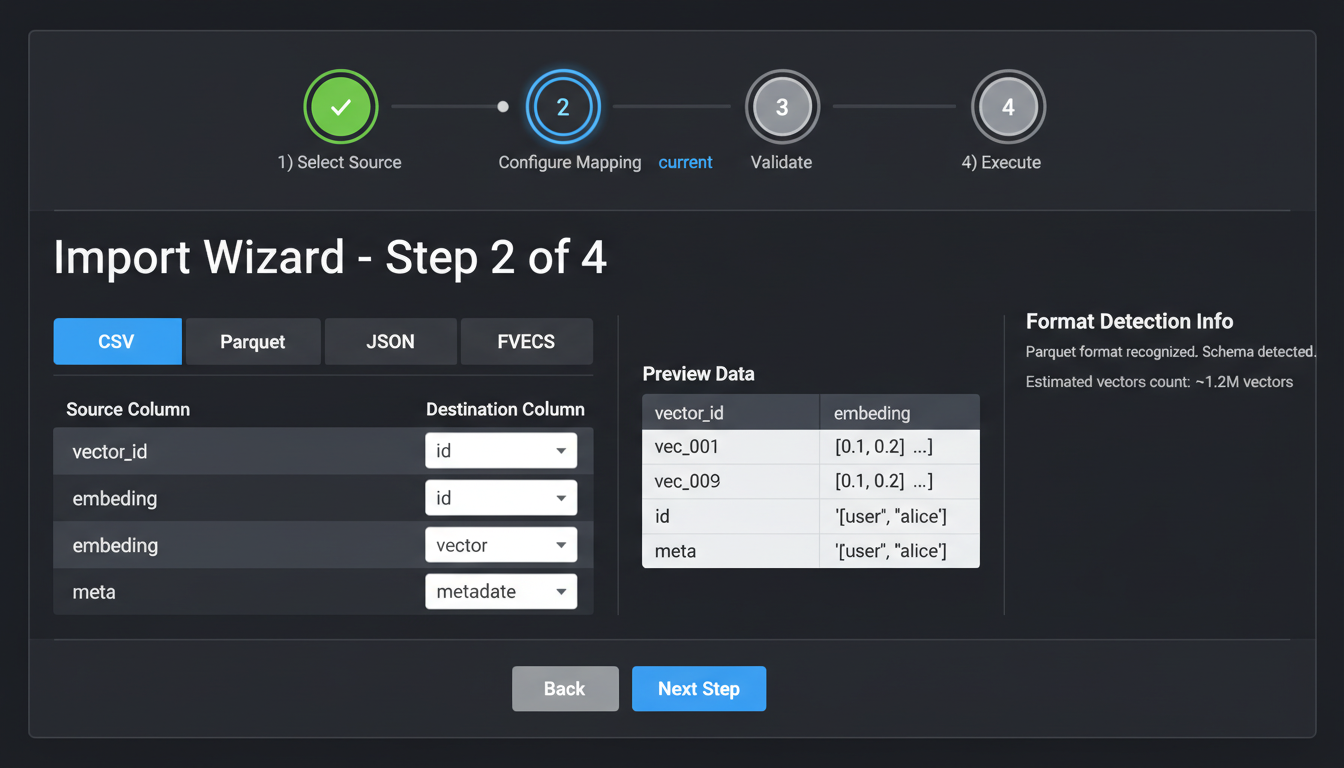
Step-by-step import wizard with format detection and validation
Supported Formats
ParquetRecommended
- • Columnar storage with compression
- • 12x faster than CSV
- • Type-safe schema
- • Streaming support
CSV
- • Universal compatibility
- • Human readable
- • Column mapping wizard
- • Header detection
JSON / JSONL
- • Flexible schema
- • Nested metadata support
- • Line-delimited for streaming
- • Easy debugging
FVECS / BVECS
- • FAISS native format
- • Binary, compact
- • Fast loading
- • Benchmark standard
Import Wizard Steps
1
Select Source
Upload file, paste URL, or connect to S3/GCS bucket
2
Format Detection
Auto-detect format and preview first 100 rows
3
Column Mapping
Map columns to vector, ID, and metadata fields
4
Validation
Check dimensions, data types, and duplicate IDs
5
Import
Stream to index with progress tracking
Export Options
Export Configuration
- Full Export: All vectors with metadata
- Filtered Export: By ID range, metadata filter, or search results
- Sampled Export: Random sample for testing
- Incremental Export: Changes since last export (CDC)
API Usage
// Programmatic import
const importJob = await mlgraph.import({
  index: 'my-vectors',
  source: {
    type: 'url',
    url: 'https://storage.example.com/vectors.parquet'
  },
  mapping: {
    vectorColumn: 'embedding',
    idColumn: 'doc_id',
    metadataColumns: ['title', 'category']
  },
  options: {
    batchSize: 10000,
    onDuplicate: 'skip' // or 'replace', 'error'
  }
});

// Monitor progress
importJob.on('progress', ({ processed, total, rate }) => {
  console.log(`${processed}/${total} (${rate} vec/s)`);
});

await importJob.complete();